ONEKEY AI Agent: Get to Firmware Security Answers Faster



Imagine a critical vulnerability appears in your firmware analysis. You need to understand what it means for your product before discussing it with the development team. You need to connect the CVE, the affected component, and the supporting firmware evidence.
Binary analysis provides that foundation by inspecting compiled firmware, identifying software components, and surfacing security findings, even when source code is unavailable. On top of that, AI assistance helps you connect that information and understand what to review next.
ONEKEY AI Agent helps product and security teams investigate vulnerabilities, explore SBOMs and components, build OQL queries, and get product guidance directly inside the ONEKEY platform. You can ask about the finding in front of you and follow up as new questions arise, instead of switching between pages to collect the information you need.
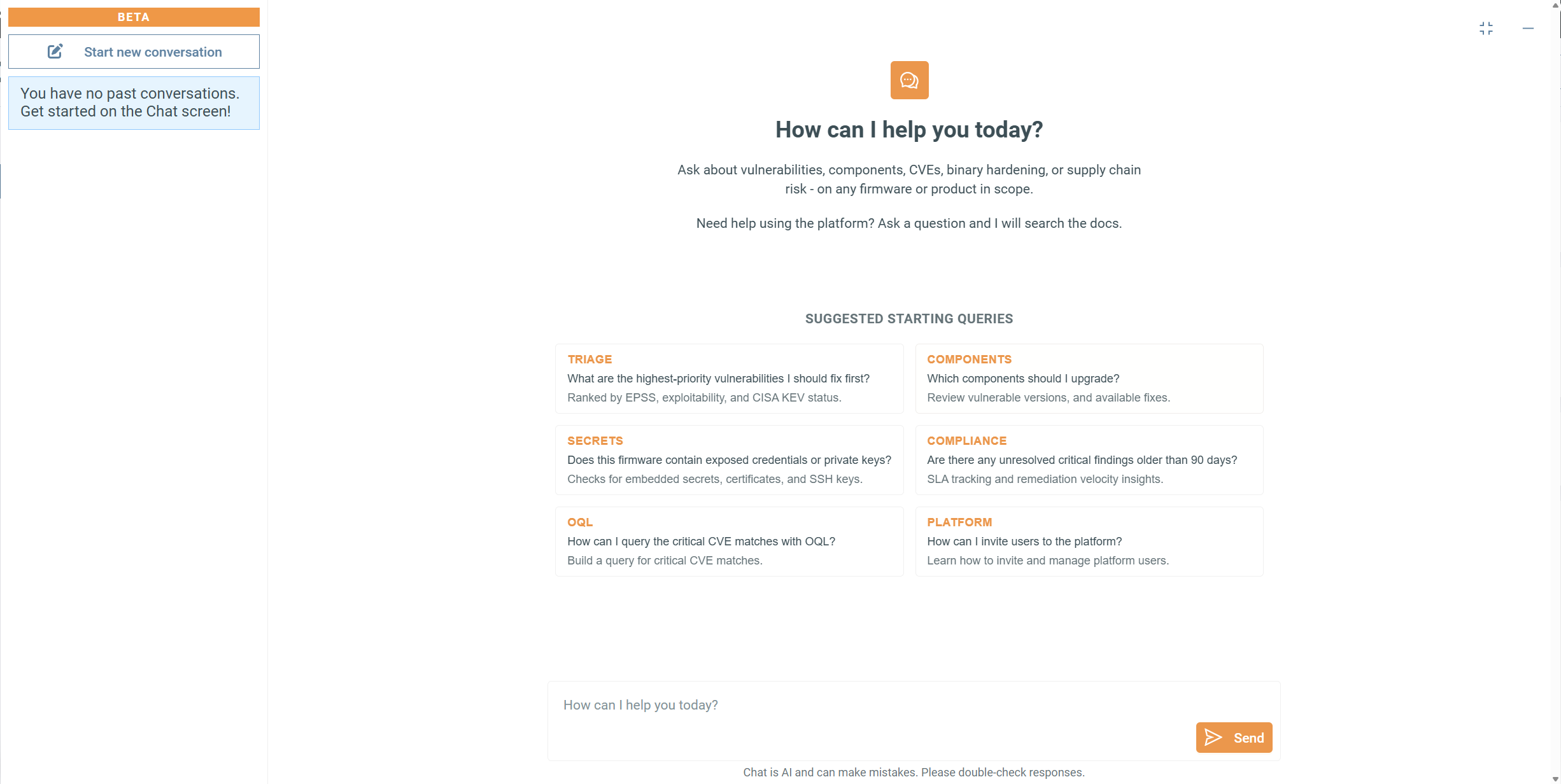
AI Assistance Based on Firmware Evidence
ONEKEY’s deterministic analysis generates the firmware security evidence. ONEKEY AI Agent helps you access, explore, and understand that evidence faster.
The analysis establishes the findings and component information that your investigation starts from. The ONEKEY AI Agent then uses the available context to help explain a finding, connect related information, or guide your next question. Our article on why firmware security needs deterministic analysis alongside AI explains this foundation in more detail.
The AI Agent also knows which page you are working in. When you open a firmware analysis or review vulnerabilities, that context helps it understand your question without making you describe every detail for each conversation. The AI Agent remembers the information you entered previously and the platform page.
The value of our ONEKEY AI Agent becomes clearest when you use it on a specific task as described below.
Focus on the Vulnerabilities That Matter to Your Firmware
A critical vulnerability deserves attention. Understanding what it means for your firmware takes more than reading its severity.
With vulnerability investigation, you can examine a finding alongside its affected component and supporting firmware evidence. The AI Agent helps connect the vulnerability information with details available in ONEKEY, so you can investigate the conditions that matter in a structured, faster way.
For example, you may ask ONEKEY AI Agent:
- “What does this CVE mean, and how severe is it?”
- “Which component is affected?”
- “What evidence helps explain its relevance to this firmware?”
- “What mitigation options should we review?”
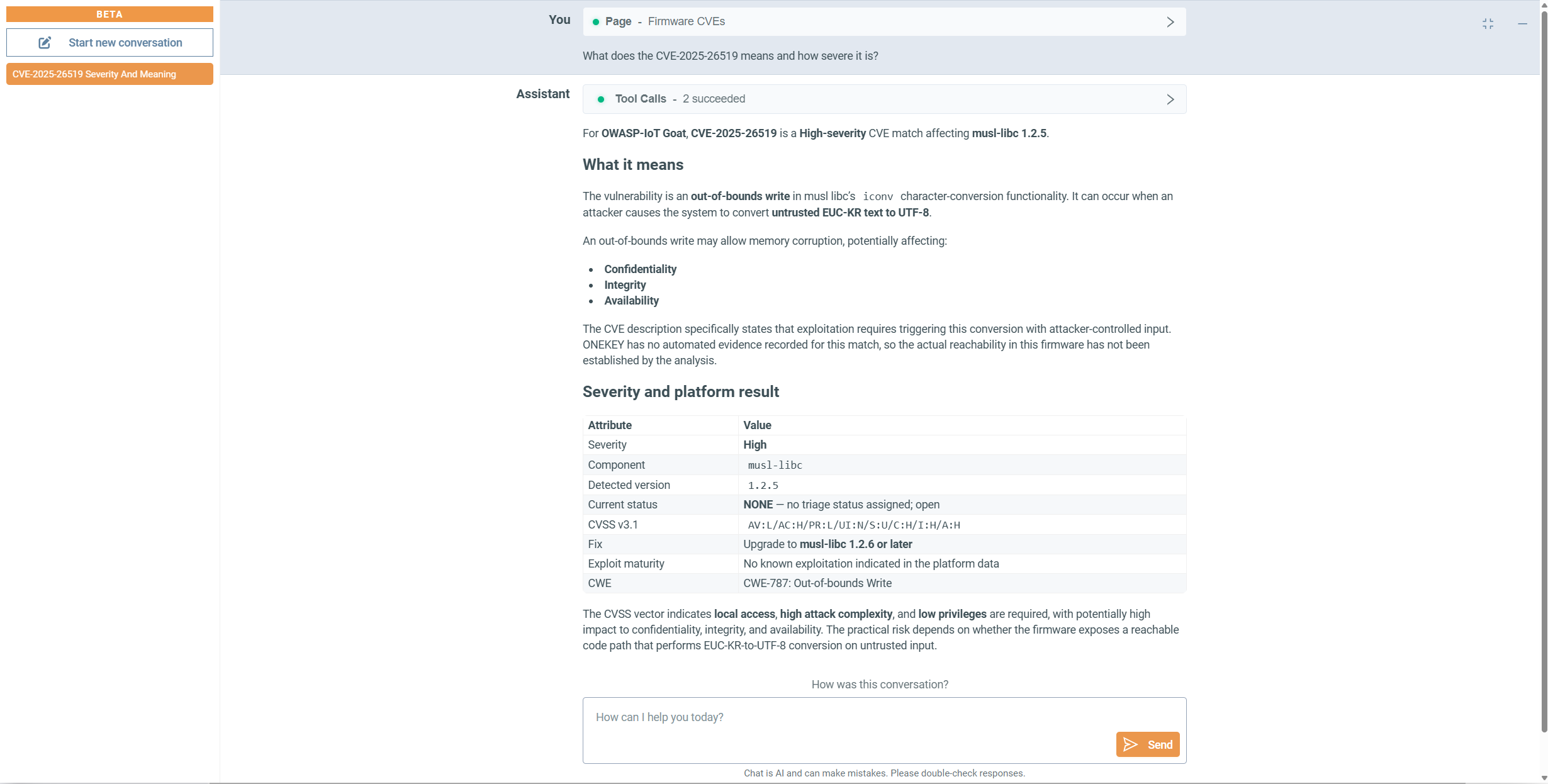
You can then follow up on the answer. If it identifies an affected component, ask for the firmware details that connect that component to the finding. This helps you move beyond the general CVE description and prepare the questions specific to your product.
The practical benefit is less manual cross-referencing and a clearer starting point for your team’s assessment. You can bring a more focused question to development instead of forwarding a CVE description without the product context.
SBOM & Component Exploration: Connect Components to Their Firmware Context
Suppose you are reviewing supplier firmware and need to understand a particular component. The dashboard already tells you what was detected. The next step is connecting that component to its locations, related vulnerabilities, and other firmware that contain it.
SBOM & component exploration lets you ask those questions using the component information and firmware evidence available in ONEKEY. You can follow a component through a series of questions rather than looking up its version, location, and related findings separately.
Questions could include:
- “What open-source components are in this firmware?”
- “Which version of BusyBox was detected?”
- “Where is SQLite used in this firmware?”
- “Which detected components have known vulnerabilities?”
- “Which other products or firmware analyses contain this component?”
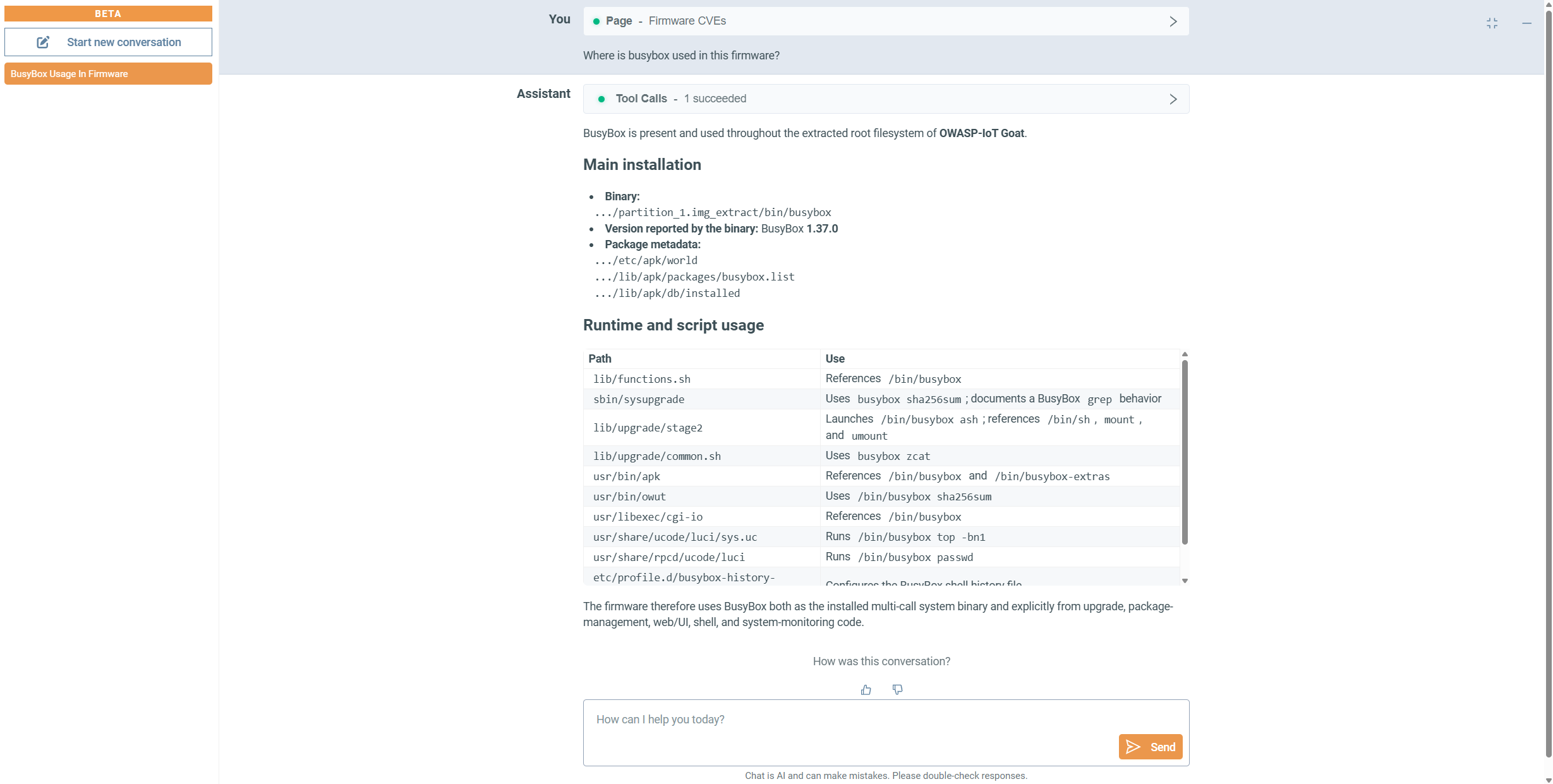
A review might start with BusyBox in one firmware image. From there, you can ask where it is used, examine its related vulnerabilities, and check which other analyses contain it. This helps you understand the scope of the review, not just the contents of one component list. In the end, you spend less effort navigating lists and more time understanding what the component means for your product.
OQL Query Assistance: Search without Memorizing Syntax
You know what you need: critical vulnerabilities, a particular attack vector, or findings that match high, functional, or POC exploit maturity. Writing your own OQL query is the most powerful, but it takes skill and time.
OQL query assistance helps turn that search goal into an OQL query. You can create queries, ask what an existing query means, and refine it as your investigation develops. OQL query assistance is available in the ONEKEY AI Agent panel and directly in OQL input fields across the platform, including OQL Search and Analysis Profiles.
For example, you may ask:
- “OQL query for critical vulnerabilities.”
- “Create a query for critical CVEs with high exploit maturity.”
- “Add a network attack-vector condition to this query.”
- “Explain what this OQL query (
cve.severity = CRITICAL AND cve.exploitMaturity IN (HIGH, FUNCTIONAL)) does.” - “Refine this query to include high-severity vulnerabilities too.”
AI assistance in OQL mode:

OQL query assistance in panel:
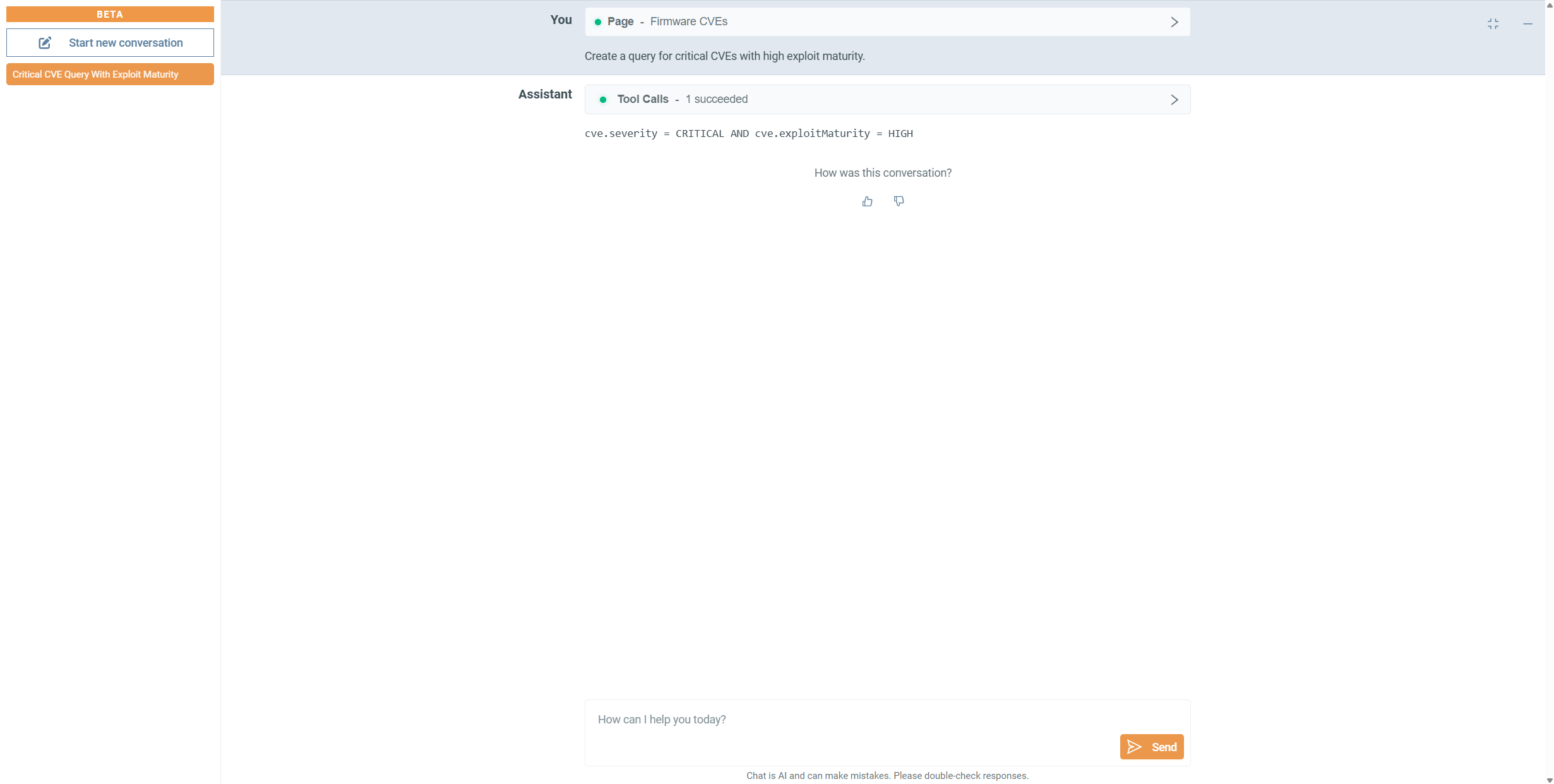
You can start with a broad question, add conditions and adjust the search as you learn more. Asking the AI Agent to explain the query also helps you understand which findings the search is selecting.
For occasional users, this makes advanced search easier to approach. Experienced users gain a quicker way to draft and adjust queries. Your team can spend more time evaluating the results and less time working out how to retrieve them.
Get Product Guidance Without Leaving Your Workflow
You have reviewed a finding and now need to share the results. Where do you export them? Or perhaps you are using an unfamiliar feature and need to know where to start.
Product guidance brings information from ONEKEY’s documentation directly into your workflow. You can ask how to complete a task or where to find a function without first knowing the exact terminology to search for.
Questions could include:
- “How do I upload firmware for analysis?”
- “Where can I find component details?”
- “How do I export an SBOM?”
- “How can I review affected products?”
- “How do I export vulnerability findings?”
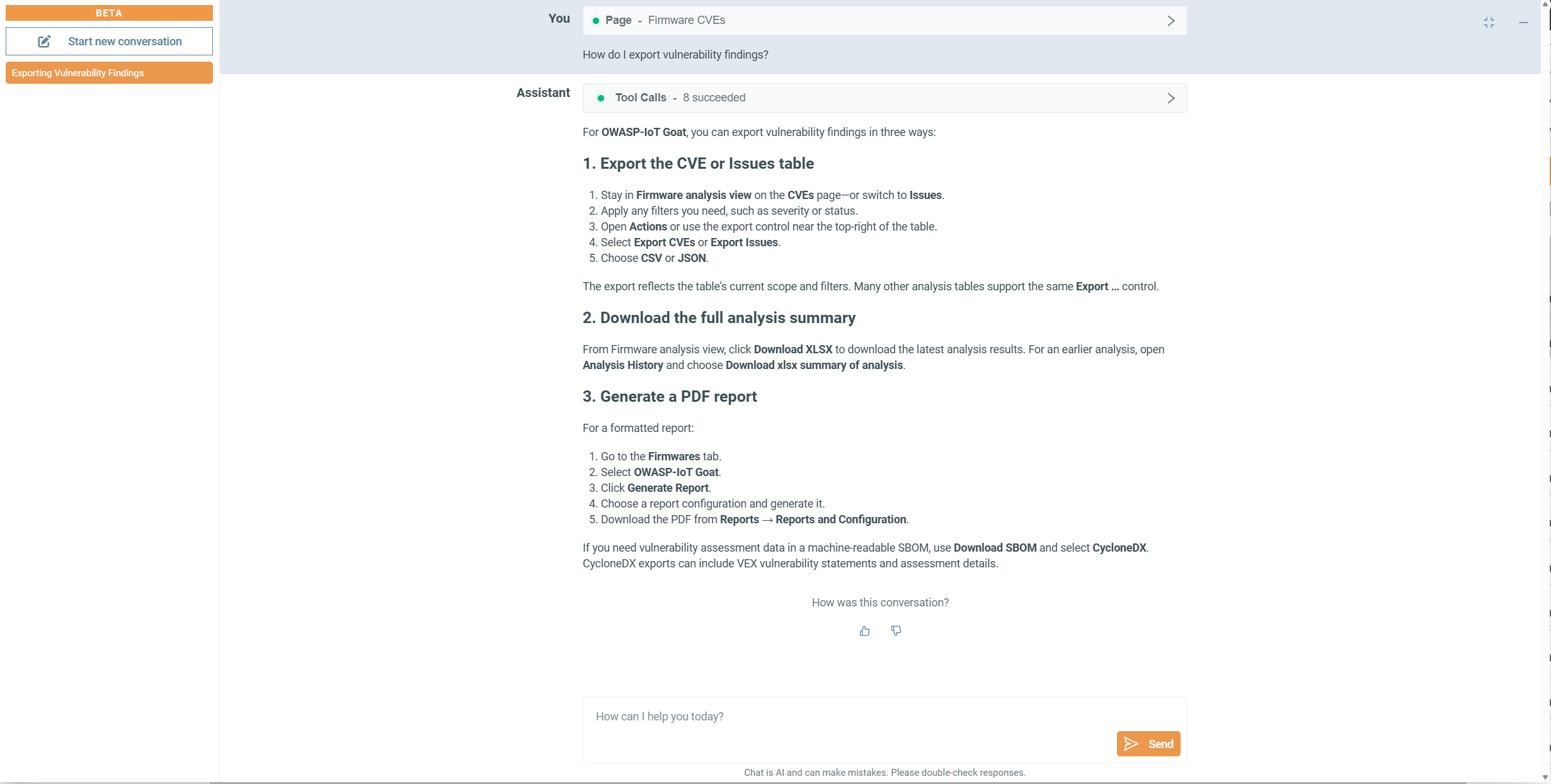
For a new colleague, this means quick onboarding. For someone returning to an unfamiliar workflow, it means picking up the task without first finding the right documentation page. Your team can keep the review moving, from investigating a finding to preparing the results for others.
Introduce AI at Your Team’s Pace
The ONEKEY AI Agent is available for SaaS and on-premises deployments, with setup requirements appropriate to your environment.
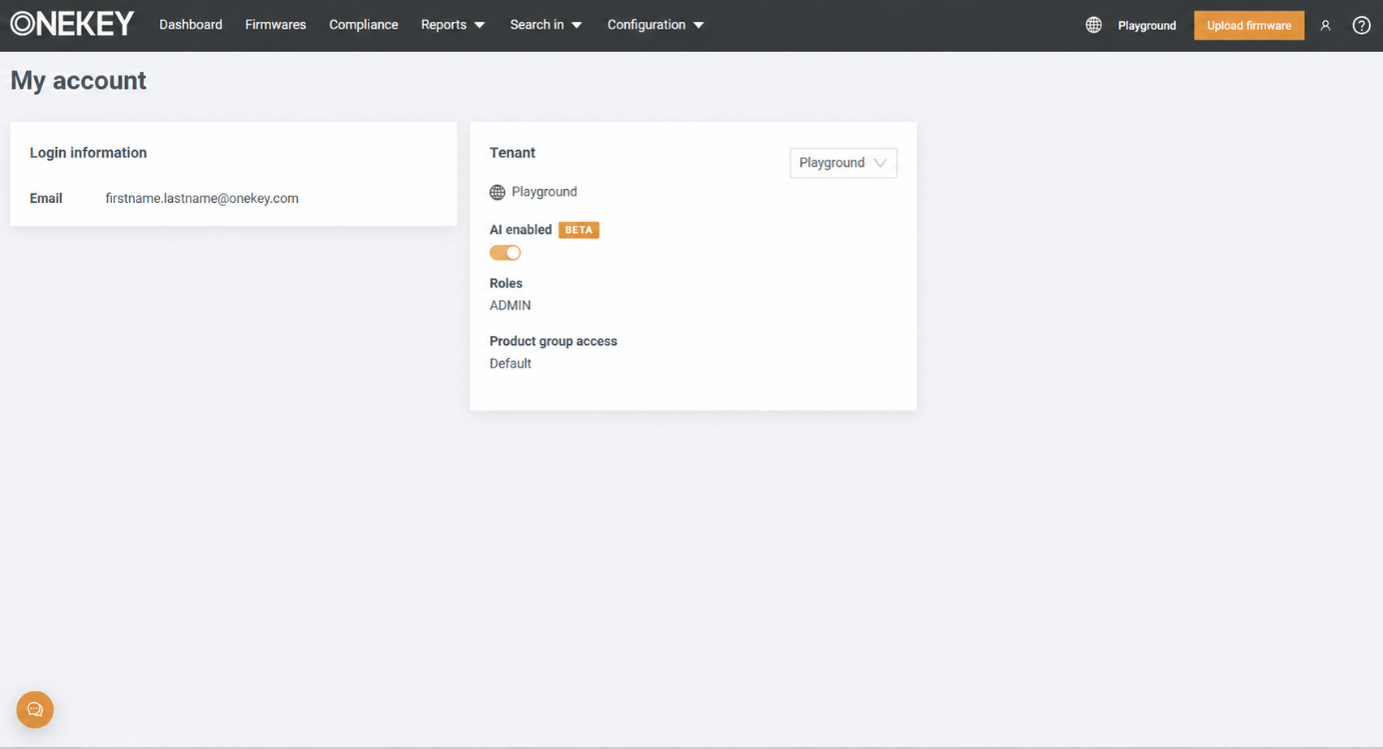
Your tenant administrator can enable or disable the AI capability and control access through dedicated user permissions. This allows your organization to decide who uses it and introduce it to selected colleagues before making it available more broadly.
You might start with colleagues investigating vulnerabilities, then involve development teams exploring component findings or working with OQL. There is no need to introduce it to everyone at once. You can begin with a task where assistance would be useful and expand access around your team’s needs.
Bring Your Own Model: Work with Your Organization’s Approved AI Environment
Your organization may already have an approved model environment and want ONEKEY to use it. The value of Bring Your Own Model is being able to work with that existing choice rather than adopt a different model setup for this workflow.
The capability is designed to connect ONEKEY AI Agent to your supported model environment through an OpenAI-compatible API endpoint and API key, instead of using the model provided by ONEKEY.
You do not need to develop or train a model yourself. The aim is to connect to the supported model environment your organization has chosen. ONEKEY continues to generate the firmware evidence; your connected model helps you work with that evidence through the AI Agent.
Your organization gains more control over which model processes its AI requests, while your team continues investigating the firmware findings available in ONEKEY.
When we wrote this blog, the functionality wasn't in general availability; if you have questions or want to implement it, reach out to your customer success manager or sales manager.
What’s Next
Start with a question from your own workflow. Take a finding you need to explain, a component you need to investigate, or a search you want to refine.
Use ONEKEY AI Agent to bring the relevant information together and follow the questions that arise. The goal is a clearer next step: a focused discussion with development, a component review you can extend across products, or a query that brings the findings you need into view.
Learn more in our documentation: ONEKEY AI Agent - ONEKEY Documentation
About Onekey
ONEKEY is the leading European specialist in Product Cybersecurity & Compliance Management and part of the investment portfolio of PricewaterhouseCoopers Germany (PwC). The unique combination of the automated ONEKEY Product Cybersecurity & Compliance Platform (OCP) with expert knowledge and consulting services provides fast and comprehensive analysis, support, and management to improve product cybersecurity and compliance from product purchasing, design, development, production to end-of-life.

CONTACT:
Sara Fortmann
Senior Marketing Manager
sara.fortmann@onekey.com
euromarcom public relations GmbH
team@euromarcom.de




Ready to automate your Product Cybersecurity & Compliance?
Make cybersecurity and compliance efficient and effective with ONEKEY.