Zero-Day Detection
Firmware can contain a serious weakness long before anyone publishes a CVE for it. ONEKEY zero-day detection examines supported binaries and scripts for risky code paths. This adds visibility beyond known-vulnerability matching. Static code analysis flags issues such as command injection, hardcoded credentials and insecure communication. Each finding comes with evidence for PSIRT and development teams. Teams investigate potential flaws, assess product impact and plan the right response.

Uncover Threats Traditional Scanners Miss
CVE matching only finds flaws already in public databases. Zero day detection looks for weakness classes in firmware before an advisory names the exact flaw.
Coverage Across Firmware
ONEKEY combines component analysis with checks for hardcoded credentials, insecure communication and unsafe code paths. Binary zero-day analysis targets selected remotely reachable ELF executables. Coverage depends on firmware format, code type and settings.

Static Analysis Without Source Code
ONEKEY decompiles selected executables and traces dangerous operations connected to untrusted input. No source project or running device is needed. This supports in-house firmware and supplier software alike.

Triage by Product Context
Not every risky function is a vulnerability. The key question is whether an attacker can influence its input and reach an unsafe operation. ONEKEY supports vulnerability assessments with status, severity and evaluation fields. PSIRT teams combine these records with engineering knowledge to decide which findings need immediate investigation.


From Upload to Resolution
Your Zero-Day Detection Process
.avif)
Upload the firmware and label product and version. Select an analysis configuration with Enterprise 0-day binary analysis enabled. It is disabled by default.
Findings include command injection, format string and stack buffer overflow issues. Check the affected file and code path first.
Confirm the conditions that trigger the weakness and the affected releases. Record the remediation or mitigation plan. Coordinate supplier communication or disclosure.
Analyze the fixed image and compare it with the previous release. Add scheduled reanalysis to the zero day monitoring process. A zero day tracker links each investigation to its evidence, owner and resolution.
Get Results in Minutes, Not Weeks
Start with a representative firmware image. ONEKEY automates extraction and analysis, so no file needs manual unpacking. Processing time ranges from minutes to hours, depending on image size, complexity and configuration.

FAQs
Answers to common questions about zero-day attack detection in firmware. Learn how static analysis, monitoring and SBOM data support the work.

What is the best solution for zero-day detection?
The best solution fits your firmware formats, code types and validation workflow. Compare coverage, evidence quality and integration with existing tools. ONEKEY zero-day vulnerability detection is best evaluated on representative images. Specialist testing remains useful where automated checks leave gaps.
Which platforms help detect zero-day vulnerabilities?
Firmware analysis platforms like ONEKEY detect zero-day vulnerabilities through binary static analysis, without source code. Runtime tools add zero-day attack detection during operation. Signature and CVE matching only cover known patterns and recorded flaws. A strong setup combines these methods.
How do you identify a zero-day vulnerability?
Start with zero-day vulnerability detection for supported unsafe code paths. Then validate the finding against the product. Confirm the conditions for exploitation and check whether the weakness is already known. A scanner finding alone does not prove a verified zero-day vulnerability.
How can you monitor zero-day vulnerabilities in real time?
Combine runtime controls with a zero day monitoring process for firmware. ONEKEY reanalyzes monitored firmware daily and emails the uploader when results change. Activity that needs immediate action belongs in the incident response process.
How does SBOM security protect against zero-day exploits?
An SBOM identifies components and versions that need investigation once a vulnerability becomes known. It does not block exploitation or reveal every unknown flaw. Effective protection combines the inventory with code analysis, validation and product controls.
Can zero-day attacks be prevented?
No, not completely. Secure development, code analysis, testing and controlled updates reduce exposure. Zero day detection finds potential weaknesses before release. Zero day attack detection and incident response cover the time after release. No scanner guarantees complete coverage.
One Solution, Many Benefits

Known CVEs and Unknown Flaws in One Release Review
Automated Impact Assessment checks whether known CVE matches apply to the analyzed build. Zero-day analysis covers flaws without a CVE. Both feed the same release review, and a CVE score never proves an unknown flaw is exploitable.
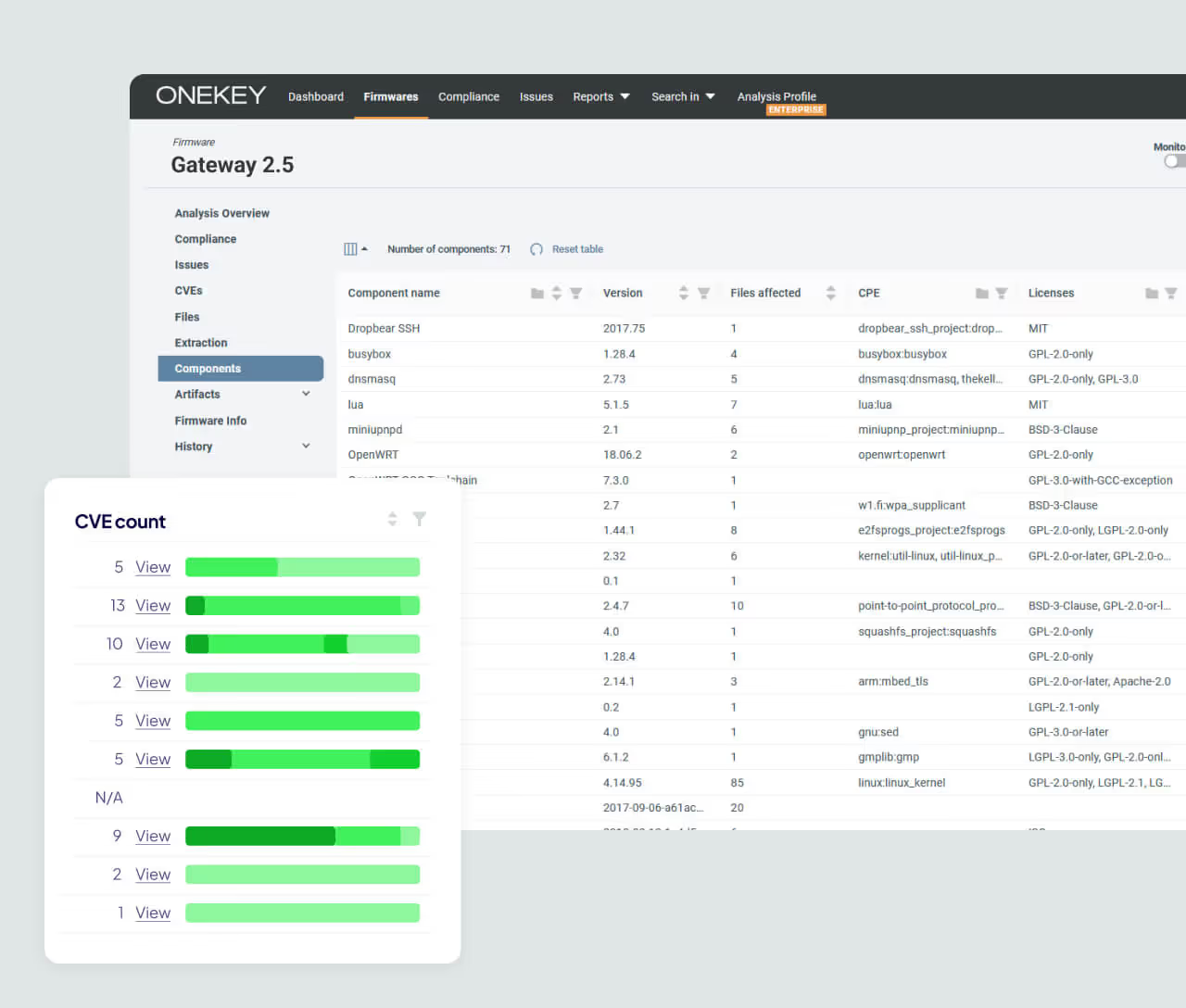
Component Context for Every Finding
ONEKEY generates SBOM data directly from firmware binaries. The inventory adds component and version context to each investigation. It locates affected software but cannot prove a custom code path is safe.
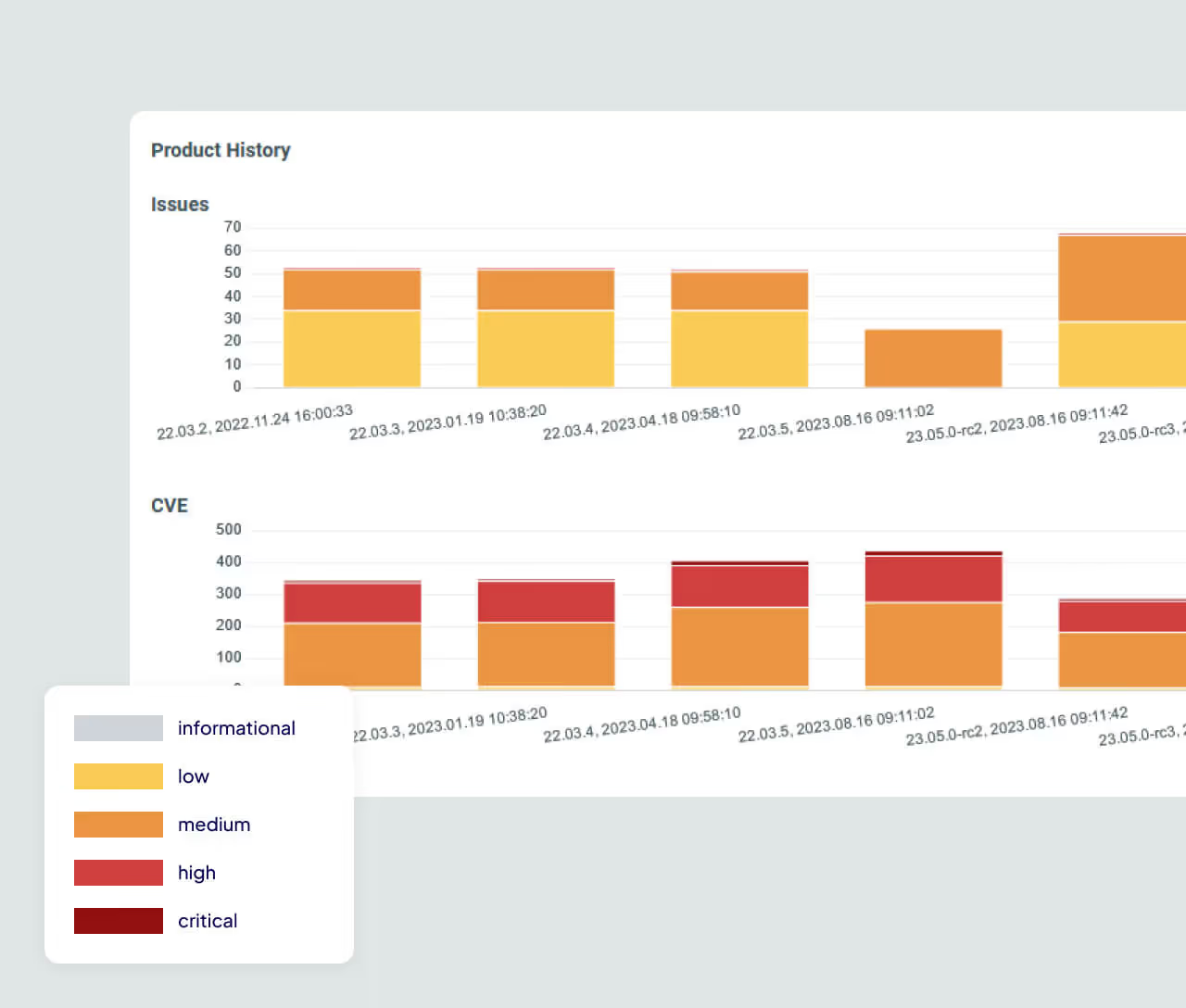
Daily Reanalysis After Release
Risk keeps changing after a product ships. ONEKEY reanalyzes monitored firmware daily and compares each run with the previous one. Teams spot affected versions and retest replacement images.


