SBOM Management Tool
Your software supply chain does not stop at the source repository. Connected products often contain compiled binaries, third-party libraries, supplier code, and open-source components that you cannot inspect at source level. ONEKEY gives you an SBOM management tool that generates, enriches, validates, exports, and monitors Software Bills of Materials directly from firmware, helping you see what is actually inside your products. With ONEKEY AI Agent, you can ask natural-language questions about SBOMs, components, detected versions, related vulnerabilities, and affected products to understand software composition and supply chain risk faster.

Effortless SBOM Management: From Binaries to Compliance
SBOM management should give you more than a static component list. You need component, version, license, and dependency visibility as products change. Generic SBOM generators are often designed around source repositories and build pipelines. Product manufacturers also need to understand supplier firmware, legacy products, and deployed devices without source access. ONEKEY combines binary analysis with SBOM management in one SBOM management platform for connected and embedded products. You can manage software inventory and its security context from development through end-of-life.
No Source Code? No Problem.
Many SBOM tools depend on source code, build systems, or supplier cooperation. That creates a gap with closed-source firmware and already compiled software. ONEKEY analyzes firmware binaries directly, so you can identify components, versions, and license information without the original source code. Binary analysis helps you compare what was planned with what was actually shipped. You can also see how applications and libraries connect inside firmware when a vulnerable dependency affects several components. Teams working with ECUs and connected vehicle software can extend this approach with ONEKEY’s automotive-focused analysis.

Merge and Enhance for Complete Coverage
One source rarely tells the whole software-composition story. ONEKEY combines its binary-generated SBOM with SBOMs from source scanners, manual files, and third-party sources. This makes SBOM management software useful when teams provide data at different levels of detail. Enrichment can also add VEX and VDR information, so teams can move beyond simple component inventory. You can compare supplied data with binary findings, investigate gaps, and create a stronger evidence base for an SBOM audit. Product security and compliance teams can then work from the same product-specific record.

High Confidence in Component Matching
An SBOM is only useful when component and version data are reliable. ONEKEY uses multiple detection methods to identify software and match versions found inside firmware, giving you higher confidence in the resulting component inventory. More accurate component and version data also supports more precise CVE matching and reduces unnecessary manual verification. This matters when you use SBOM data for supply-chain oversight, vulnerability response, or compliance evidence. Better component visibility gives you a practical foundation for SBOM for NIS-2 compliance. It also makes it easier to explain which software versions are present across firmware releases.

ASK YOUR SBOM QUESTIONS IN CONTEXT.
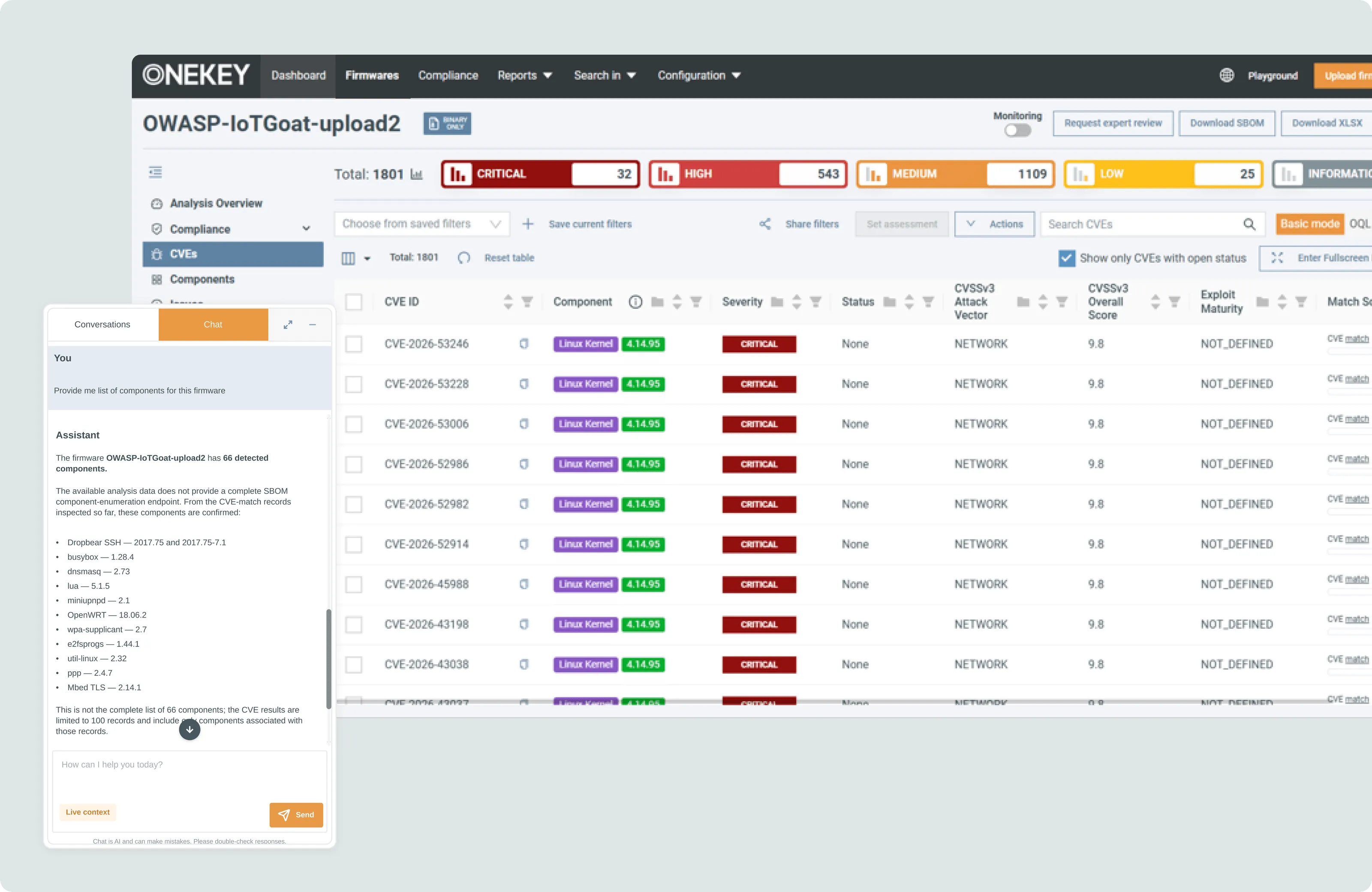
Use ONEKEY AI Agent to explore your SBOM and component data with natural-language questions. Ask what components are inside a firmware image, which versions are detected, which components carry vulnerabilities, or where affected components appear across products and analyses, without switching between multiple views.

How it Works
How Our SBOM Management Tool Works
.avif)
Add the firmware binary so ONEKEY can unpack and analyze its contents. If you want to use an existing SBOM, attach it during the same upload process because it cannot be added to an existing firmware analysis later.
ONEKEY validates the imported SBOM before analysis proceeds and combines its contents with components detected directly from the firmware. Matching findings are merged, while additional imported components remain visible in the resulting inventory.
Produce machine-readable SBOM outputs in CycloneDX or SPDX, with VEX and VDR information where supported. The same product data supports customer, engineering, and vulnerability workflows as well as SBOM and EU CRA compliance.
Keep the component inventory connected to new vulnerability information after release. SBOM automation supports long-lived products where software risk can change years after the firmware ships.
Ready to Secure Your Software Supply Chain?
Your SBOM should show the software actually inside your connected products, not only what exists in a source repository. ONEKEY combines binary-level component discovery, SBOM enrichment, standard exports, and continuous monitoring in one workflow. This gives your teams a practical way to manage software supply-chain visibility from development through end-of-life.

FAQs
Find answers to common questions about SBOM management, SBOM automation, binary analysis, and SBOM compliance requirements.

What is an SBOM management tool?
An SBOM management tool helps you create, import, enrich, validate, export, and maintain Software Bills of Materials across products and versions. It shows components, versions, licenses, and security data. ONEKEY analyzes compiled firmware, so you can build an SBOM without source code.
How is SBOM management software different from an SBOM generator?
A standalone generator creates an SBOM at one point in time. SBOM management software also imports, enriches, validates, and monitors component data across releases. This fits long product lifecycles where software composition and vulnerability data keep changing.
How does SBOM automation reduce manual compliance work?
SBOM automation cuts repeated tasks such as component inventory, data merging, export preparation, and monitoring. Product and firmware records stay connected to the SBOM instead of spreadsheets and one-time exports. Compliance teams get more consistent evidence for documentation and requests.
How can I validate the accuracy of my SBOM data?
Compare SBOM data from source tools or suppliers with evidence found in compiled firmware. Check component names, versions, licenses, and dependencies. Investigate gaps before you use the data. ONEKEY combines imported SBOMs with binary analysis for a higher-confidence view.
How can I create an SBOM that meets compliance requirements?
Generate an accurate, version-specific SBOM in a machine-readable format such as CycloneDX or SPDX. Keep it updated, preserve evidence for each release, and map records to the applicable regulation. ONEKEY manages SBOM records alongside vulnerability data throughout the lifecycle.
How can I get continuous visibility into my software supply chain?
Start with an accurate component inventory for each firmware version and keep it connected to new vulnerability data. ONEKEY monitors identified components after analysis. You can review changing risk without rebuilding the inventory each time a new CVE appears.
One Solution, Many Benefits
Binary-Level Vulnerability Detection
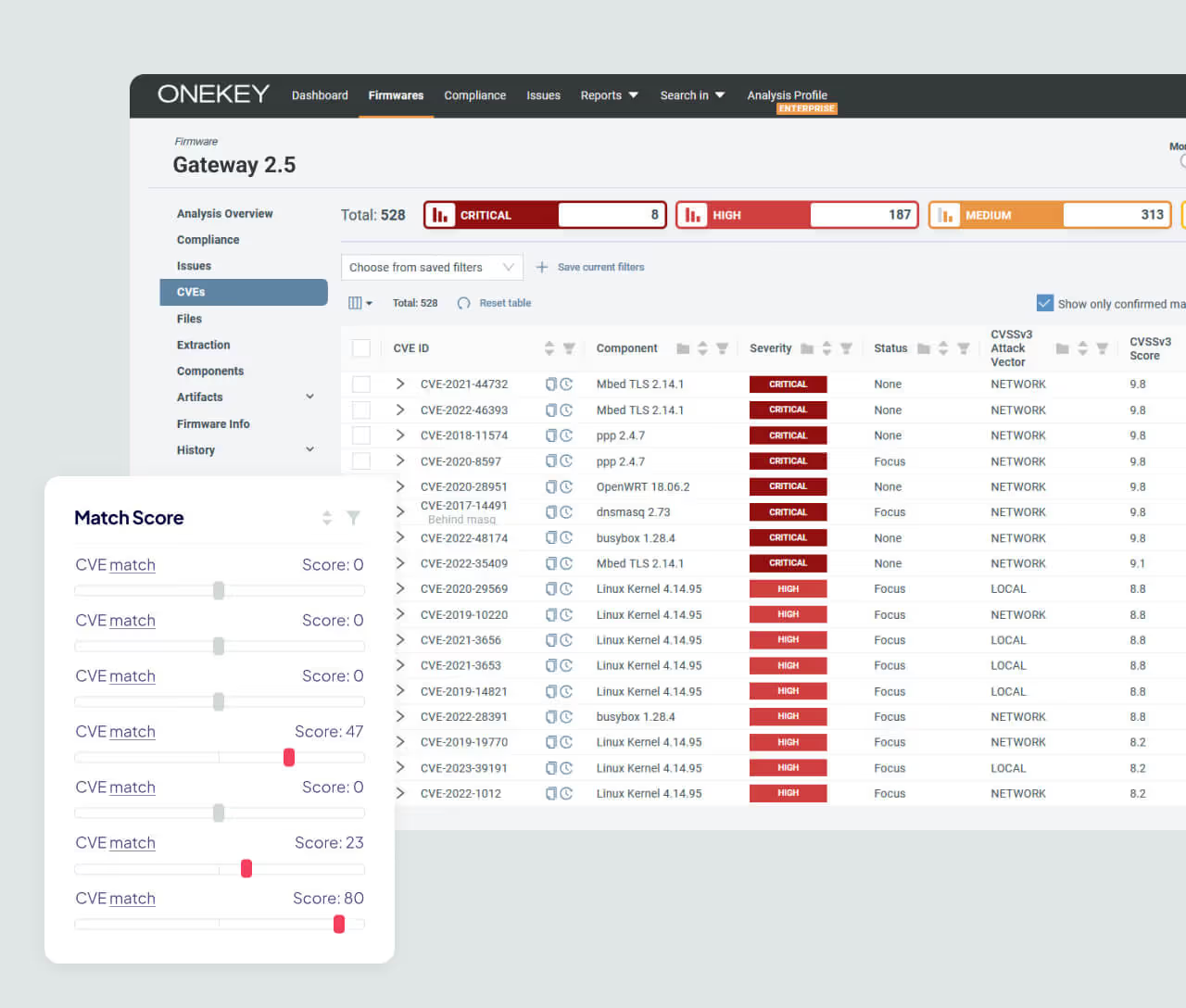
Analyze firmware binaries without source code and link detected components to vulnerabilities. Prioritize security work.
Respond Fast to Critical Threats
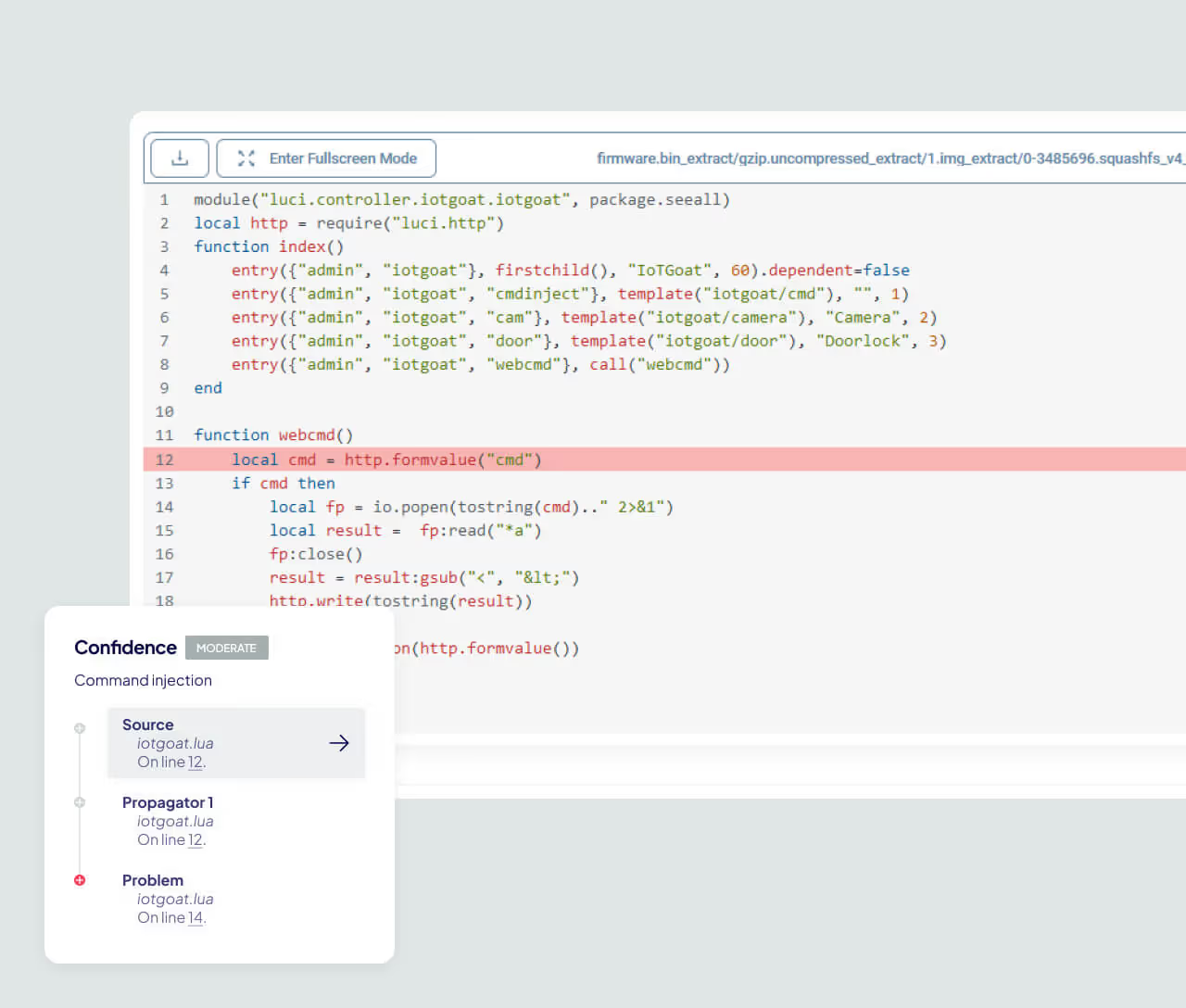
Assess firmware when a critical new issue appears and find where affected components exist. Centralized monitoring speeds up your response.
Tailor Your Threat Models
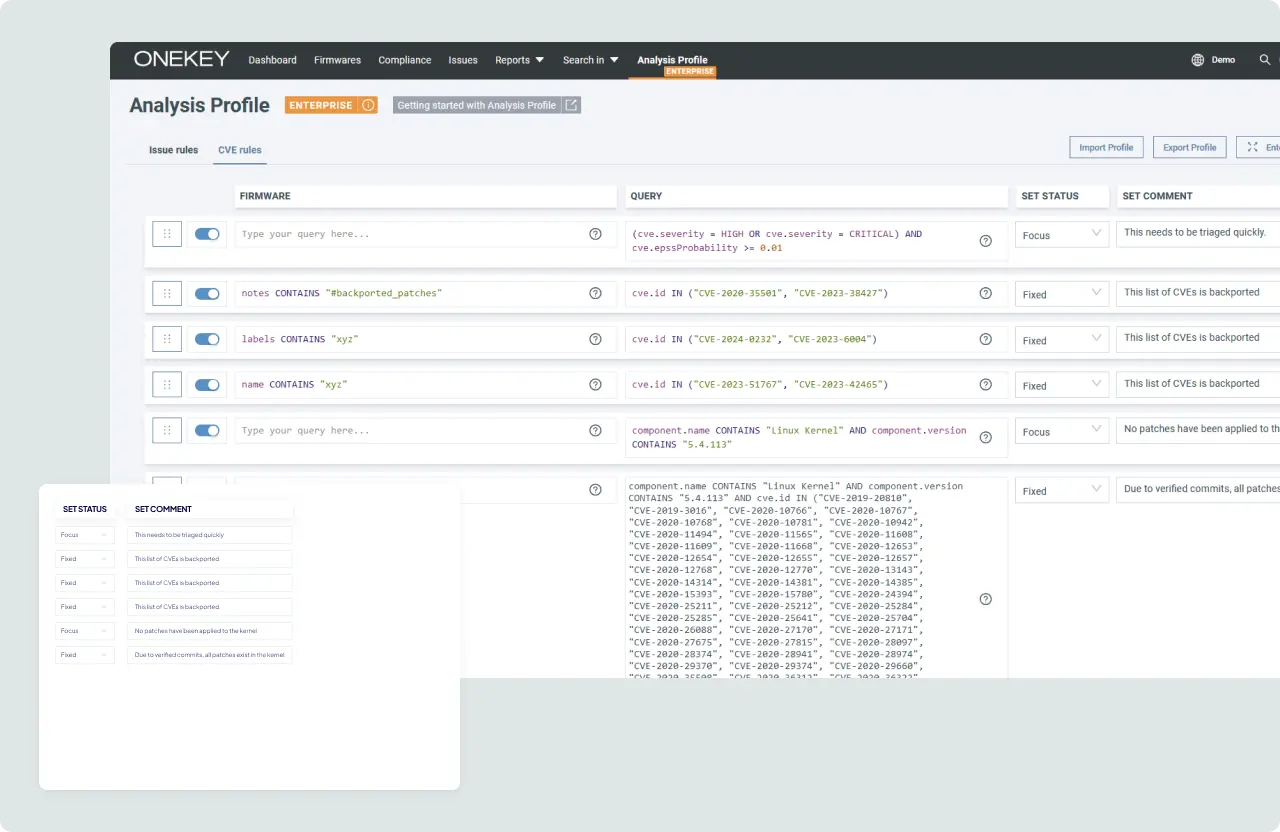
Apply your own rules, priorities, and risk criteria to product analysis. Make SBOM and vulnerability data more relevant to your products and markets.


