Automated CVE Monitoring & Impact Assessment for Firmware
Hundreds of CVE matches can appear in one firmware analysis. Only some affect the product you actually ship. ONEKEY combines automated CVE monitoring with firmware-specific impact assessment. It filters low-relevance findings and highlights risks backed by technical evidence. PSIRT and product security teams spend less time on noise and more time on real risks.

Simplify CVE Assessment and Triage
ONEKEY analyzes each CVE against evidence from your firmware. CVE assessment becomes a product-specific process, not a review of generic severity.
Prioritize Critical Threats
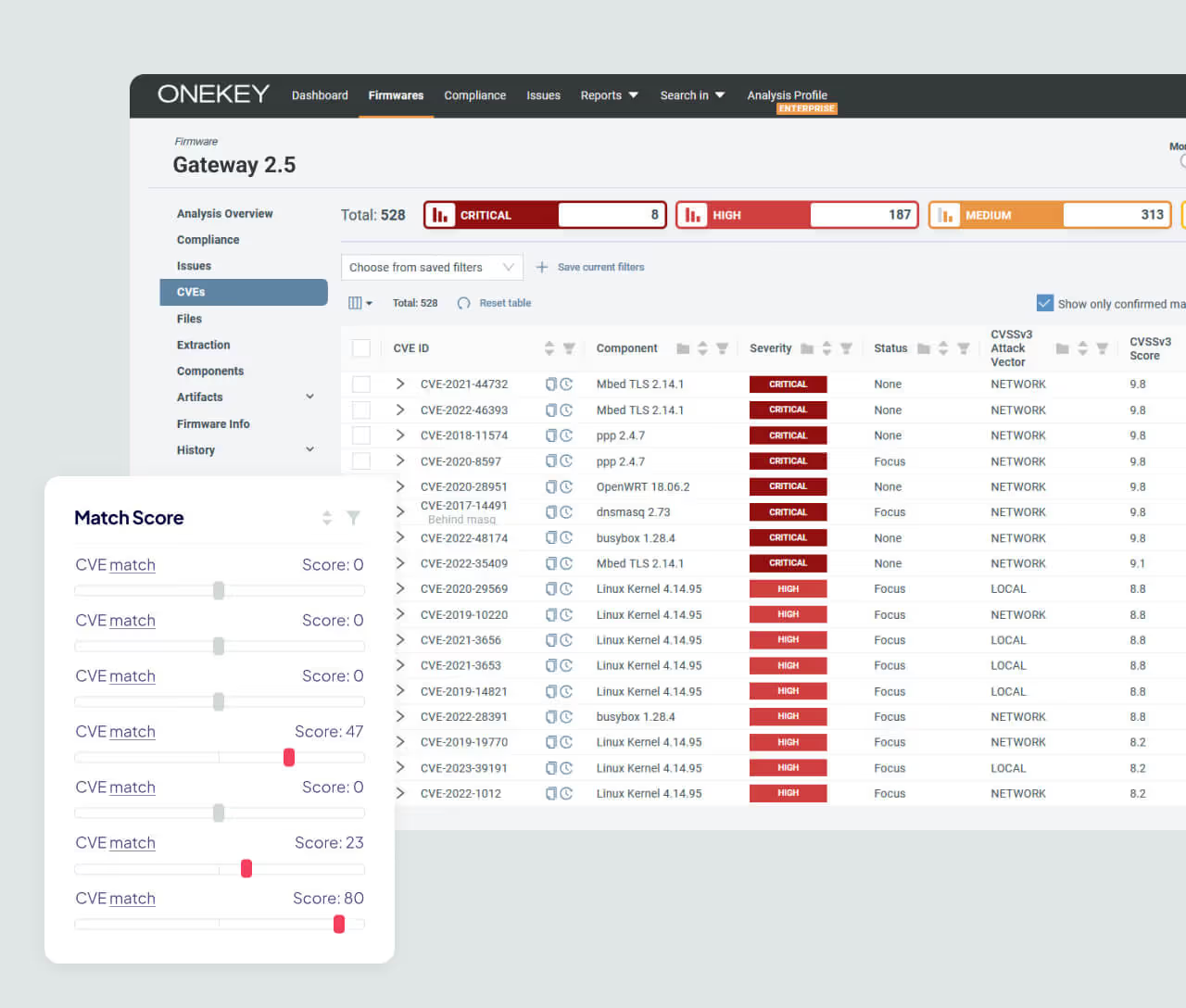
Automated Impact Assessment gives every CVE in your firmware a match score. Checks cover versions, architecture, files, strings, function imports, binary usage, and kernel symbols. Positive and negative evidence shows how likely a CVE affects the analyzed build. Analysts review the evidence before they decide what to fix.

Focus on What Matters Most
Automated Impact Assessment runs by default on uploaded firmware. Findings with clearly negative scores get the closed status Not affected. They are hidden from the open-CVE view, not deleted. Evidence also strengthens SBOM and VEX workflows with documented CVE decisions.

Save Time and Resources
Automated Impact Assessment cuts the CVEs that need attention by up to 60%. Filtered findings stay accessible. Bulk assessments apply one decision to several firmware. Assessments carry forward when conditions match.


Optimize Your Product Cybersecurity Workflow
How Automated CVE Monitoring Works
.avif)
Upload the firmware so ONEKEY can analyze its components, versions, files, and other technical artifacts. ONEKEY works on the binary, so no source code is needed. Known vulnerabilities are then matched against the software detected in the product.
Automated Impact Assessment scores each CVE with positive and negative firmware evidence. Teams review the match score, status, and evidence before they act.
Investigate relevant findings, document the assessment, and fix what affects the product. Then analyze the updated firmware again to compare its security state with earlier builds.
ONEKEY reanalyzes monitored firmware daily as vulnerability data changes. It alerts the uploader only when the comparison finds a relevant change. Each run creates its own analysis record.
Ready to Master Vulnerability Management?
CVE volume should not make every match urgent. ONEKEY combines automated CVE monitoring with evidence-backed impact assessment. Teams cut manual triage and keep the full dataset.

FAQs
These answers explain how ONEKEY supports automated CVE monitoring, evidence-backed triage, and firmware security across the product lifecycle.

How does ONEKEY’s automated impact analysis reduce risk in software and firmware updates?
Automated Impact Assessment shows which CVEs are relevant before teams decide what to fix. Every CVE gets a match score against the specific firmware build. Scores below -2 close automatically as Not affected. Comparing two analyses shows which CVEs, issues, and components were added or dropped. Each decision keeps its evidence.
What makes ONEKEY a reliable platform for automated firmware testing?
ONEKEY analyzes the firmware artifact and links every vulnerability decision to technical evidence. The open-source extractor unblob unpacks the image. Rules, package managers, lock files, and RTOS libraries then identify components. The Evidences tab records which method found each component. Analysts can review and change any automated assessment.
What are the benefits of security automation?
Automation removes repetitive analysis, vulnerability matching, filtering, and monitoring work. Every upload triggers CVE matching and Automated Impact Assessment with no extra configuration. Consistent rules apply the same triage logic across product portfolios. Security experts then focus on vulnerabilities that need investigation or a fix. Analysts keep the final decision.
How can a product stay secure over its lifecycle?
Analyze the firmware before release and monitor supported versions afterward. ONEKEY reanalyzes monitored firmware as vulnerability information changes. Each run is compared with the previous one. Monitoring alerts the uploader when results change. All runs stay in Analysis History. Teams can investigate newly relevant risks at any point in the product lifecycle.
How does automated CVE monitoring work?
ONEKEY reanalyzes monitored firmware daily with current vulnerability information. Runs start at 23:00 UTC by default and use the same Analysis Profile. Each run is compared with the previous analysis. The firmware uploader gets an email only when CVEs, issues, or components change. The analysis history stays intact, so no assessment has to be repeated by hand.
What makes ONEKEY's CVE assessment different from generic scanners?
ONEKEY checks CVE matches against evidence extracted from the firmware. A generic scan lists every CVE whose version range matches a component. Automated Impact Assessment also checks architecture, files, functions, symbols, versions, and binary usage. A Bluetooth-only exploit drops out on a kernel without Bluetooth support. That adds real product context.
One Solution, Many Benefits
Binary-Level Vulnerability Detection
ONEKEY analyzes firmware binaries directly. It identifies components and known vulnerabilities even without source code.
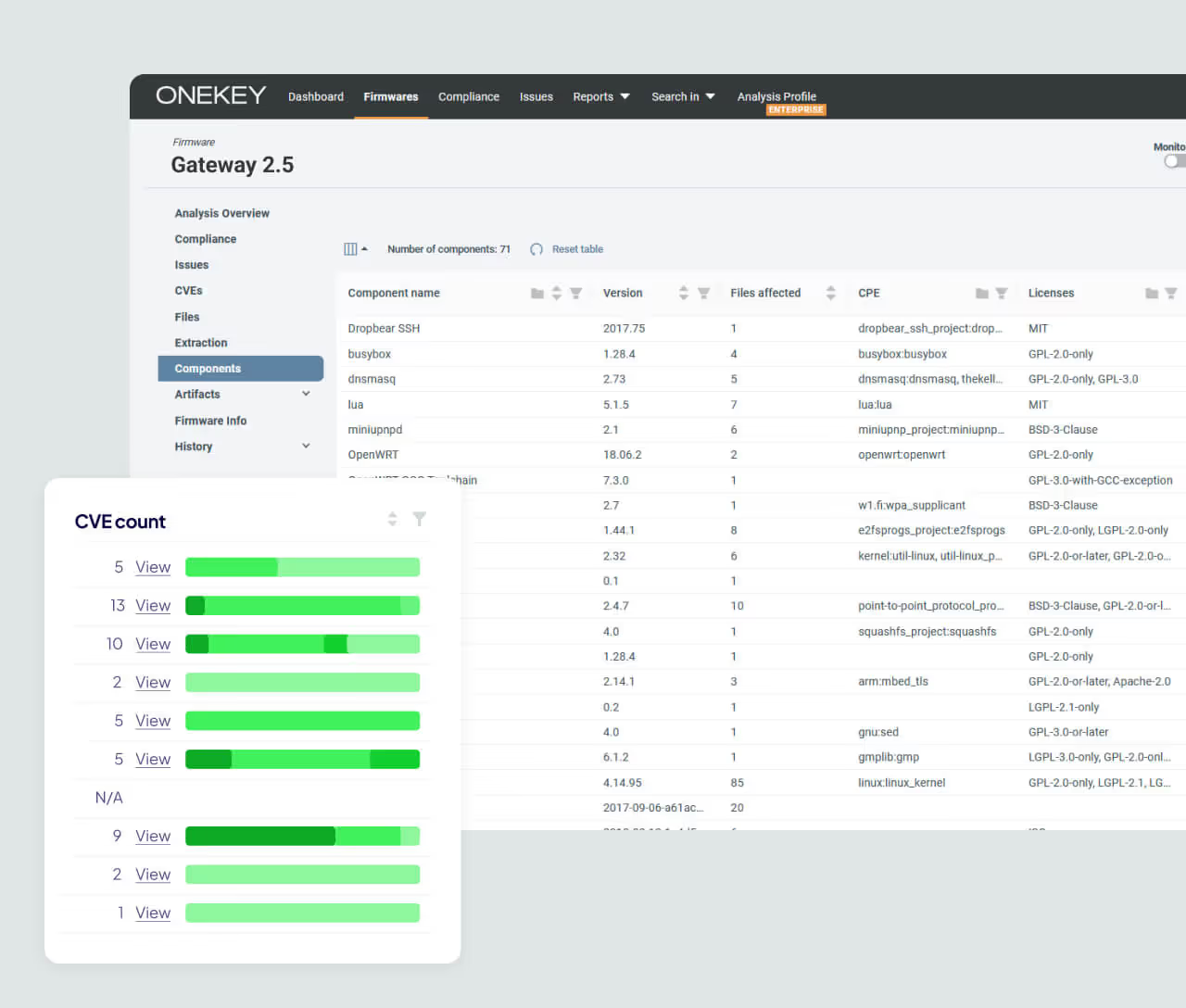
Automated SBOM Generation from the Binary
Firmware analysis generates software inventory data from the binary and uses it for vulnerability matching. This helps when supplier data is incomplete. It also verifies what is in the final build. SBOM data stays linked to impact assessment workflows.
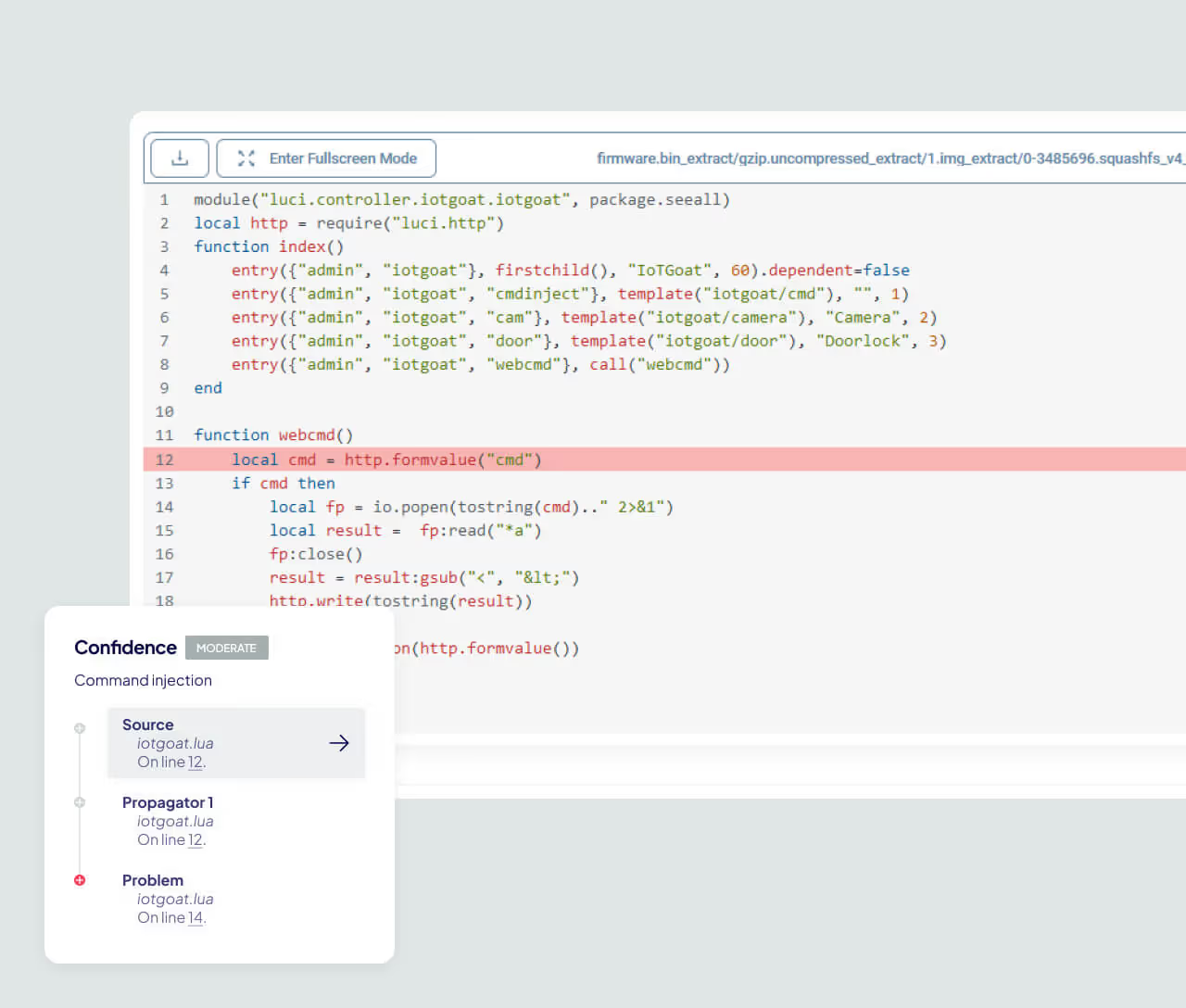
Respond Fast to Critical Threats
Static analysis finds flaws that do not depend on a CVE match. ONEKEY detects command injection and buffer overflows in binaries and scripts.


